





PDF Tools
Complete Guide to PDF Tools - Merge, Split, Convert & More
Learn how to merge, split, convert, and optimize PDF files in your browser with privacy-first processing.
Read article
100% device-based processing for PDF, Word, image, CSV, and text workflows.
PaperStack gives you free online document tools for day-to-day editing tasks without forcing account creation or app installation. You can merge PDFs, convert DOCX, clean copied text, and optimize images from one interface.
Our workflow is designed around browser-side processing, which helps reduce unnecessary data transfer and keeps sensitive files under your control. That makes the platform useful for personal, academic, and business documents.
Whether you need quick fixes or repeat workflows, the sections below help you jump directly to PDF tools, Word tools, image utilities, and text utilities with smooth page scrolling and section anchors.
$0 forever
100% device-based
No uploads
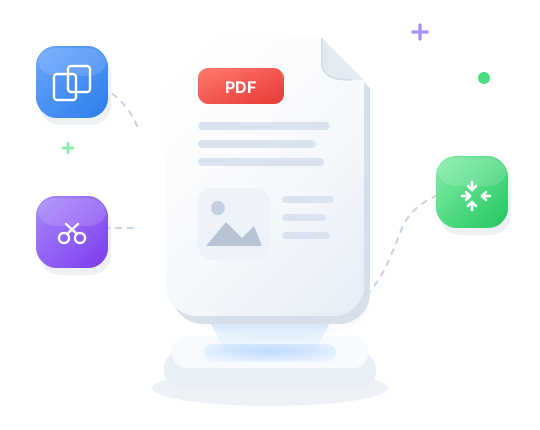
Combine pages, split ranges, and reduce file size in one browser-first workflow.
Most used
Edit PDFs: text, highlight, draw, sign, and manage pages
PDF TOOL
Convert Word to PDF
WORD TOOL
Edit images: rotate, crop, filters, resize, and more
IMAGE TOOL
View CSV data in a table
DATA TOOL
Count words and characters
TEXT TOOL
Combine multiple PDFs into one
PDF TOOL
Convert Word to HTML
WORD TOOL
Reduce image file size
IMAGE TOOL
Convert CSV to XLSX
DATA TOOL
Change text case
TEXT TOOL
Split PDF into separate pages
PDF TOOL
Convert Word to plain text
WORD TOOL
Resize images to any dimensions
IMAGE TOOL
Convert XLSX to CSV
DATA TOOL
Find and replace text
TEXT TOOL
FAQ
Quick answers about privacy, support, and usage.
Guides
Practical walkthroughs for PDF, Word, image, CSV, and text workflows.
Learn how to merge, split, convert, and optimize PDF files in your browser with privacy-first processing.
Read articleCombine multiple PDFs into one file without uploading. Reorder pages and download the merged document instantly.
Read articleReduce PDF file size while preserving quality. All compression runs locally in your browser.
Read articleConvert DOCX to PDF, clean formatting, merge Word files, and run document utilities with zero upload flow.
Read articleConvert DOCX and Word documents into shareable PDFs without installing Microsoft Office.
Read articleResize, compress, crop, and convert images. JPG, PNG, WebP, and HEIC tools that run in your browser.
Read articleView CSV tables, convert CSV to Excel, filter rows, and format data without sending files to a server.
Read articleUse Word Counter, Text Cleaner, and formatting helpers to prepare clean copy for blogs, reports, and SEO.
Read articleOUR SOLUTIONS
Merge, split, convert & secure PDFs
Convert, edit & extract from DOCX
Resize, convert & optimize images
View, convert & edit tabular data
Count, clean & format text
0K
ACTIVE USERS
0K
FILES CONVERTED
0+
ONLINE TOOLS
0K
PDFS CREATED
Privacy-first
PaperStack takes security very seriously. Remember that your files stay on your device—processing runs in your browser, and we don’t store your documents on our servers.
No cloud uploads
Browser-only processing
Nothing stored on our servers
Coming soon for both Android and iOS
Scan to open